 Open Bopdeck
The short version
- Cost
- Free. No ads, no purchases.
- Accounts
- None. Students open the page and play.
- Devices
- Chromebooks and any computer with Chrome, Edge, Firefox or Safari. Works on tablets and phones too.
- Sound
- Headphones help in a full room.
- Controls
- Mouse, touch or keyboard.
How it plays
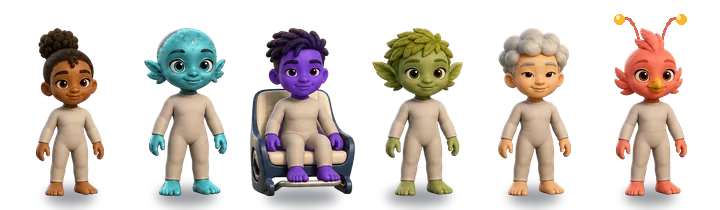
Each level is a different style of music. Students pick a sound from the tray and give it to a performer, and that performer starts playing it in time with the rest.
Every level hides a set of six sounds that unlock the full song. A meter shows how many they have found. If a student gets stuck, one of the missing sounds starts to glow.
- Rooftop Cipher: hip-hop at 96 BPM.
- Island Pulse: dancehall meets Afrobeats at 102 BPM.
- Court Bounce: Jersey club at 128 BPM.
Three ways to use it
1. Build it in layers
Start with only a beat, then add one sound at a time. After each one, ask: what did that sound add? Rhythm, melody, bass, or texture?
2. Compare two styles
Build a mix in Rooftop Cipher, then one in Court Bounce. What changes in the drums? Which one feels faster, and why?
3. Share and remix
Students press Share to copy a link to their exact mix. Post links in Google Classroom; a classmate opens one, presses play, and remixes it. Video (in the menu, and on the win screen) saves a 15-second vertical clip of the mix.
Student privacy
- Bopdeck asks for no names, emails or logins, and stores no student information.
- No cookies and no third-party trackers or ads. Everything loads from bopdeck.com.
- Saved mixes stay in that browser on that device. They are never uploaded.
- A shared link holds only which sounds sit on which performers.
- We count visits and a few anonymous game moments (like "a level was finished") with Vercel Web Analytics, which is cookieless and does not identify anyone.
For school IT
Allow it
Allow bopdeck.com. The game, its sounds and its analytics all load from that one domain over HTTPS. The first load is about 1 MB of code and images plus up to 4 MB of audio per level, then it is cached.
Put it on every student Chromebook
Bopdeck is an installable web app. In the Google Admin console, go to Devices > Chrome > Apps & extensions > Users & browsers, pick the student organizational unit, choose Add by URL, enter https://bopdeck.com/, and set the installation policy to Force install (or force install and pin to the shelf).
Google's own steps: Automatically install web apps.